✦   Powered by OpenAI Whisper

Your audio.
Your machine.
Transcribed.

Convert any audio or video to accurate, editable subtitles — entirely on your Windows PC. No cloud upload. No account required.

↓  Get TranscribeKit See how it works →
Transcribing · interview-draft.mp4
Processing locally — 0% uploaded to cloud EN · Auto-detected
100% Local Processing · 60+ Languages · SRT · VTT · TXT · JSON · TSV · No Account Required · Private Windows App · Windows 10+
How it works

From file to subtitle in four steps

📁
Upload

Drop in any audio or video — MP3, WAV, MP4, MKV, MOV, WEBM, and more.

🧠
Pick a model

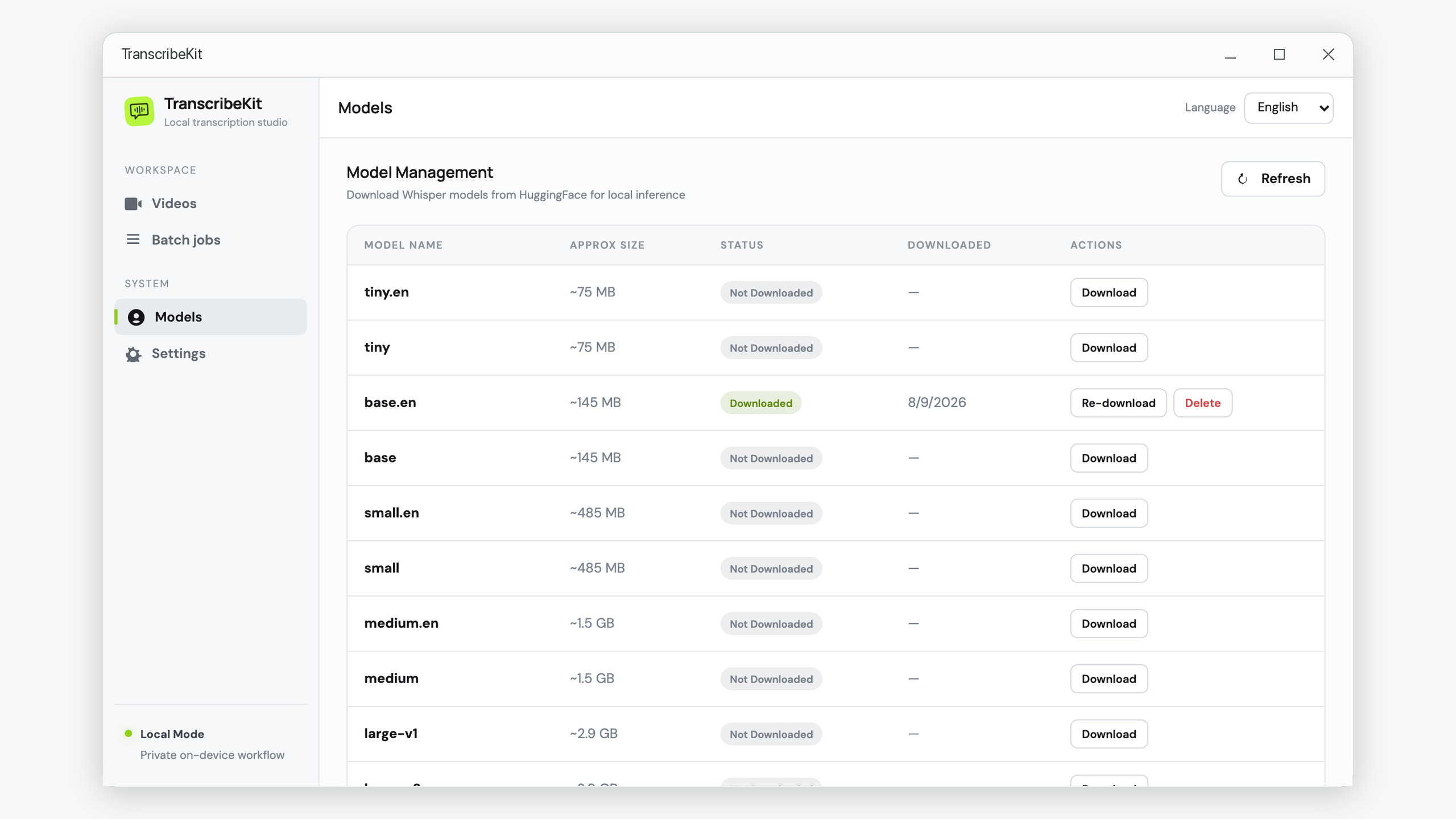
Download once, use forever. Choose Tiny through Large based on your hardware.

Transcribe

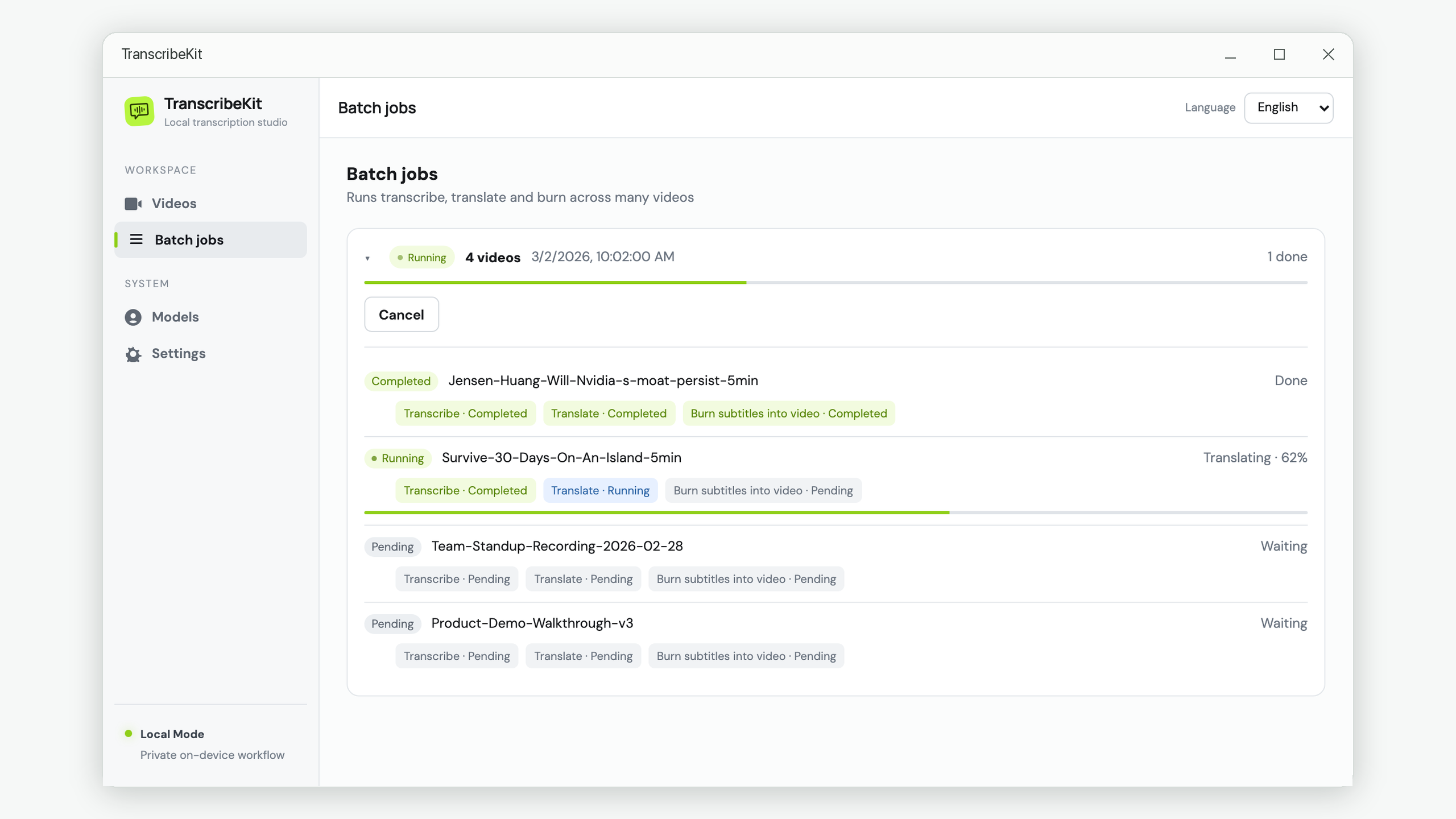
Runs on your CPU. Auto-detects language. Edit any segment directly in the app.

📤
Export

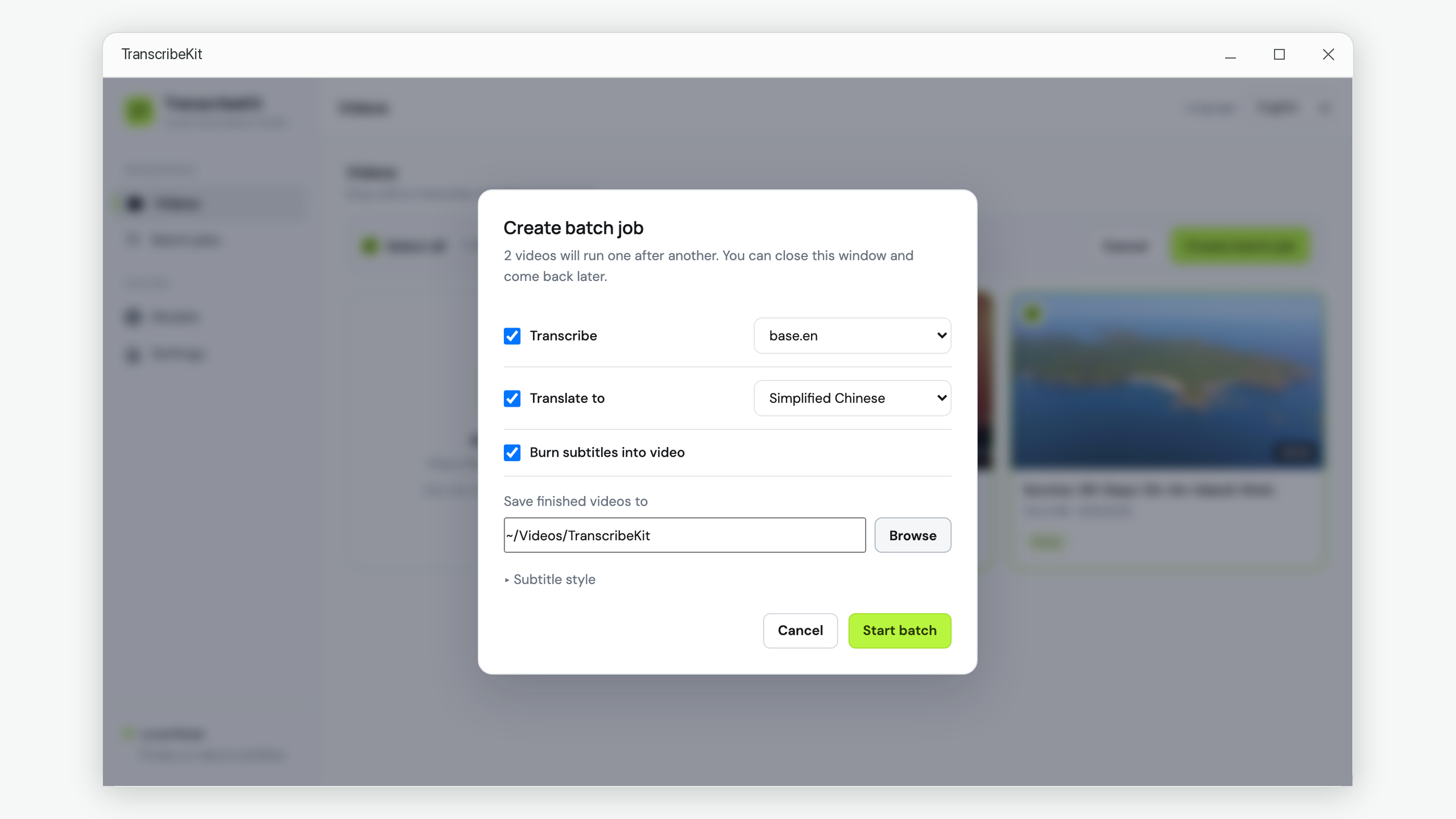
Export in 5 formats, translate into 19 languages, or burn subtitles into video.

Features

Everything you need to
work with spoken content.

A focused toolset for podcasters, researchers, filmmakers, journalists, and educators.

🎙️
Accurate Transcription

Industry-leading Whisper AI transcribes with professional accuracy across 60+ languages. Voice Activity Detection filters silence for cleaner results.

VAD Filter Word Timestamps Auto Language Detect
✏️
Editable Segments

Every transcribed segment is editable. Fix words, review timecodes, and search across the full transcript — all within the built-in editor.

Inline Edit Timecode View Full-text Search
🌐
AI Translation

Translate transcriptions into 19 languages via OpenRouter. Supports GPT-4o, Claude, Gemini, Llama, and more. Progress-tracked and re-translatable.

19 Languages OpenRouter Any LLM
🎬
Burn Subtitles into Video

Permanently embed subtitles into MP4. Customize font, size, color, and position. Dual-subtitle mode shows original and translation simultaneously.

Dual Subtitles Font & Color Top / Mid / Bottom
🤖
AI Proofreading

Let AI review and suggest corrections to your transcription. You see every change before it's applied — nothing is modified without your approval.

Review First Batch Mode Any LLM
🔒
100% Private

Transcription runs entirely on your CPU. Your files never leave your machine. No account. No data collection.

No Cloud Upload No Account Private by Design
Privacy by design

Your files stay
on your machine.

Transcription is fully offline. The only time TranscribeKit uses the internet is when you download a Whisper model, or when you explicitly trigger optional AI translation using your own API key.

0
Files uploaded to cloud
60+
Languages supported
5
Export formats
19
Translation languages
App screenshots

See the local transcription workflow

Manage projects, download Whisper models, edit timestamped transcripts, export subtitles, translate captions, and burn subtitles into video from one Windows app.

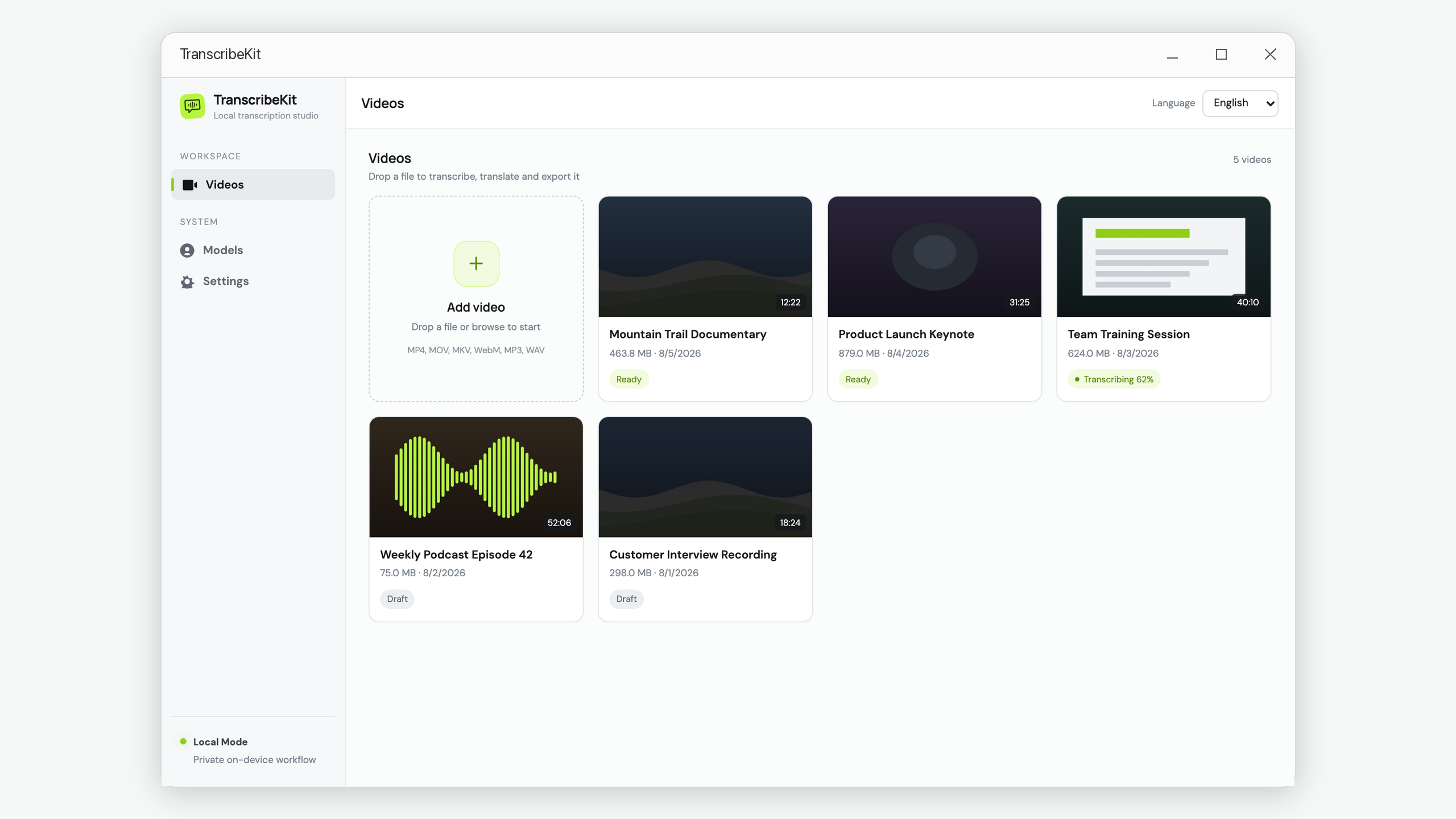
TranscribeKit projects dashboard for managing local audio and video transcription projects

Project dashboard

Organize local transcription projects and open recent audio or video work quickly.

Whisper model management screen with local model downloads

Whisper models

Download Tiny through Large models once and keep them on your computer.

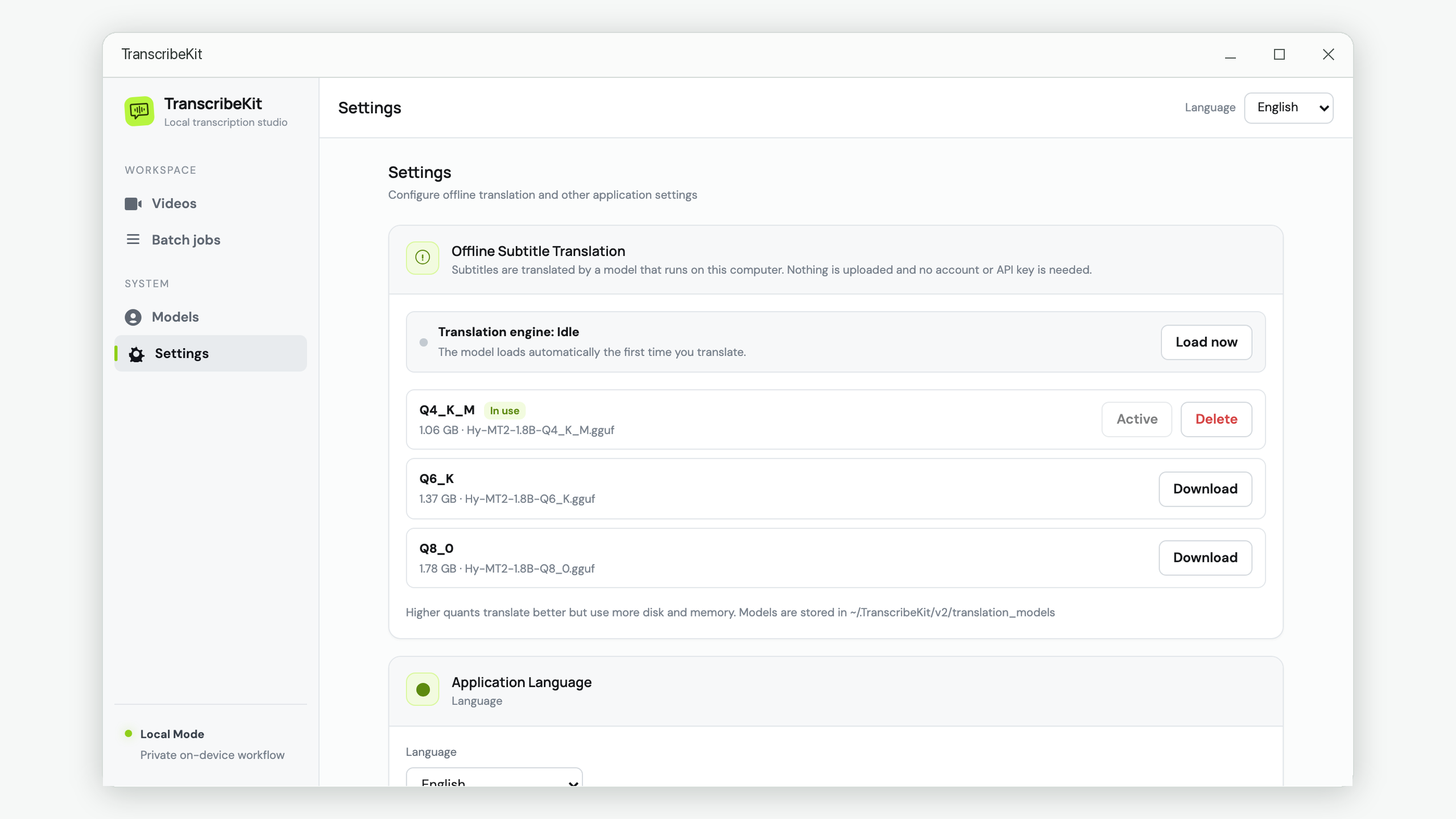
TranscribeKit settings for language, OpenRouter, and transcription preferences

Private settings

Configure app language, optional AI provider settings, and local workflow defaults.

Project detail page with uploaded media files ready for transcription

Media workspace

Keep source files, transcripts, translations, and exports attached to each project.

Transcription modal for choosing Whisper model and local transcription options

Transcription setup

Choose a Whisper model and start local CPU transcription with no cloud upload.

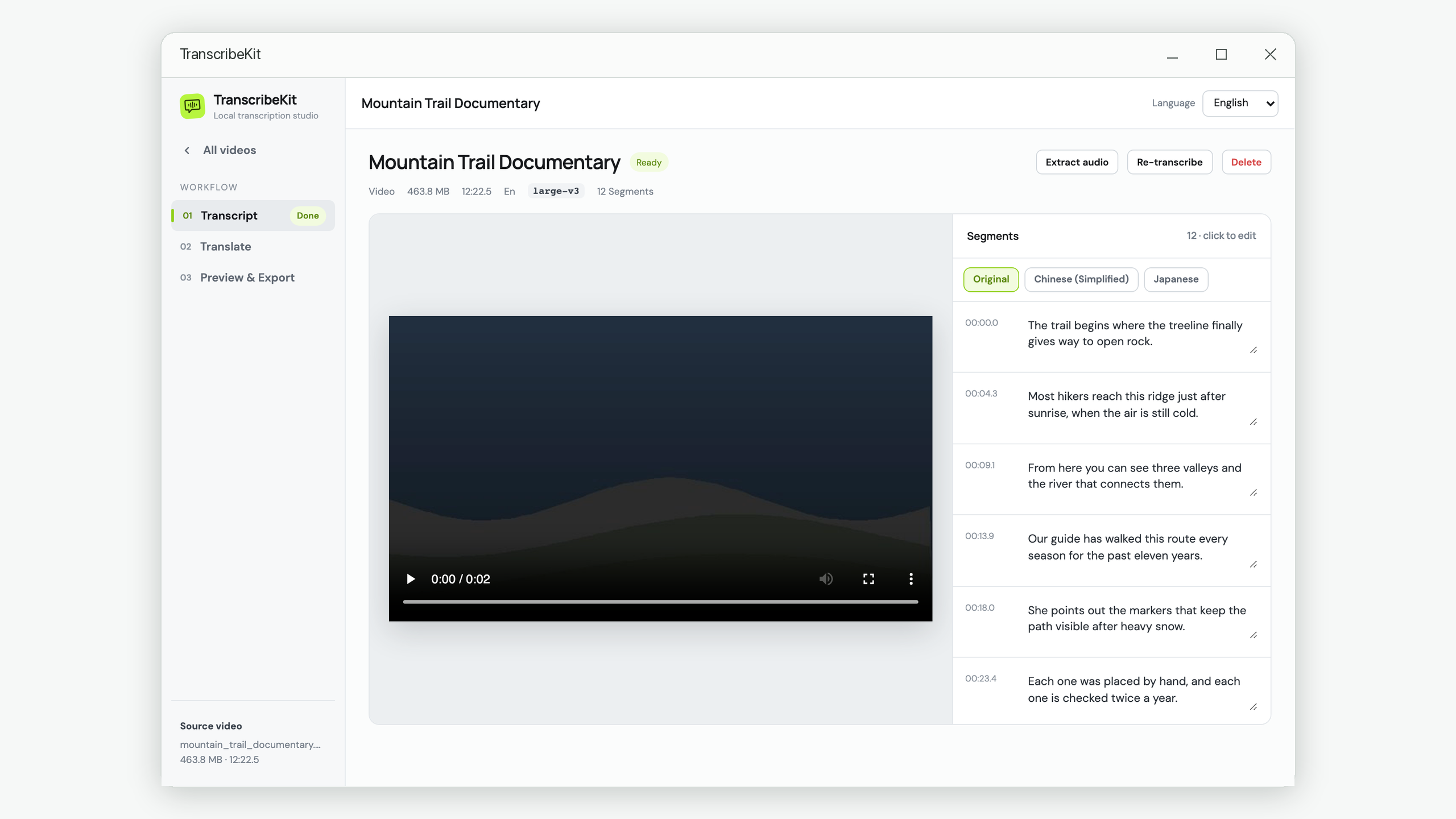
Editable transcript editor with timestamped subtitle segments

Transcript editor

Edit subtitle text and timecoded segments before exporting or translating.

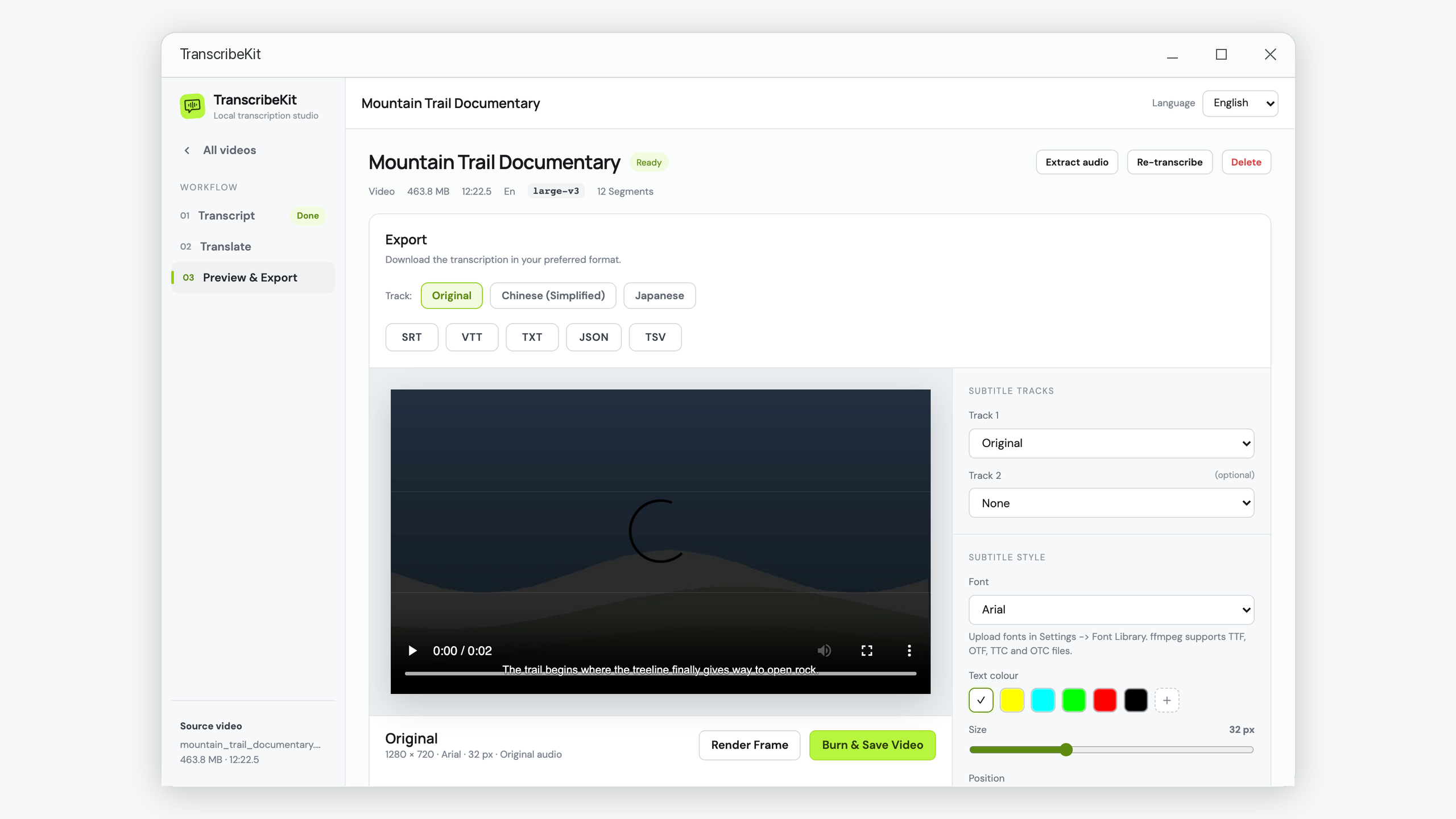
Subtitle export panel with SRT, VTT, TXT, JSON, and TSV formats

Subtitle export

Export transcripts as SRT, VTT, TXT, JSON, or TSV for editors and platforms.

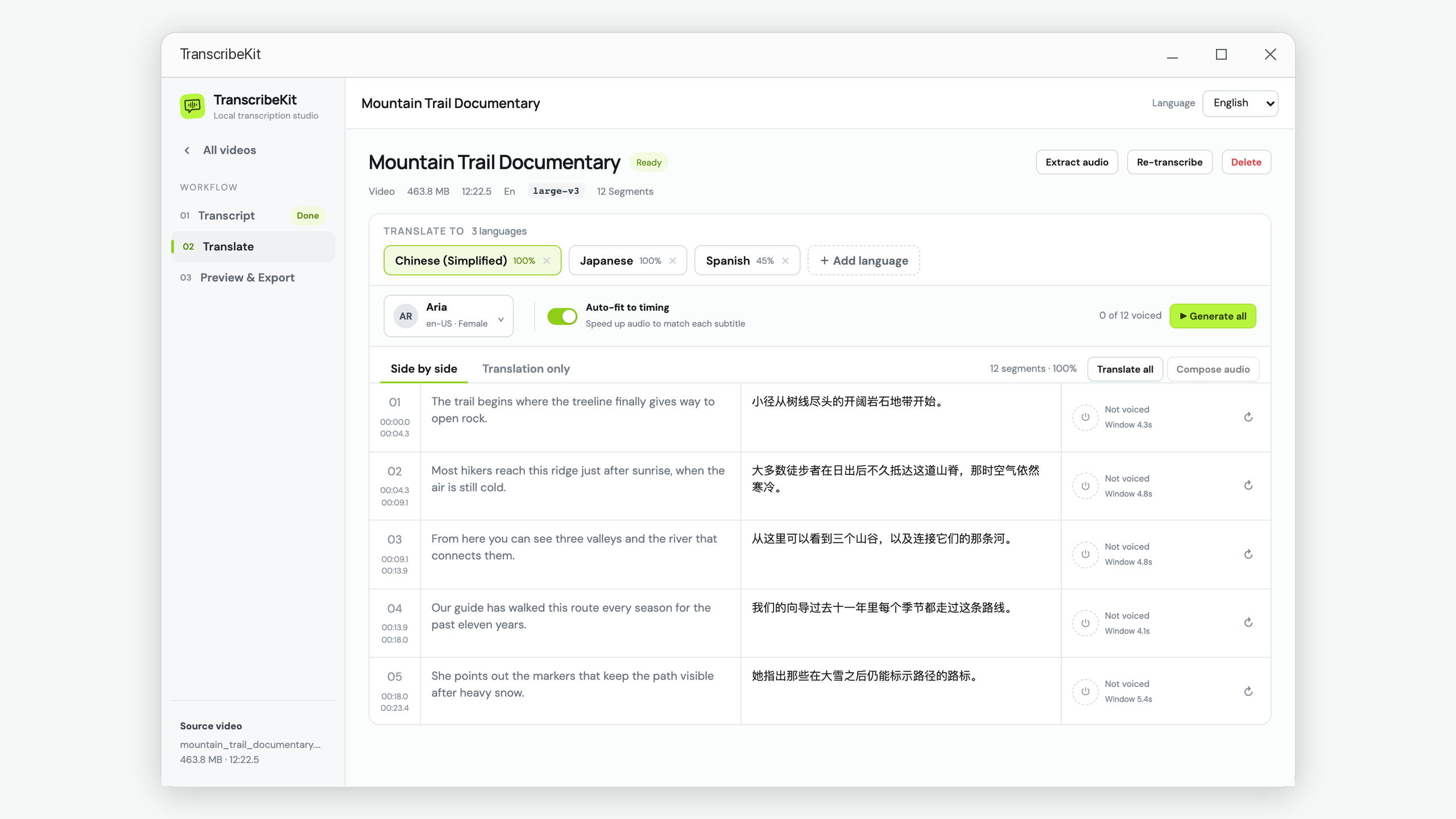
AI translation screen for translating subtitles into multiple languages

AI translation

Translate subtitles into 19 languages using your own OpenRouter-compatible API key.

Burn subtitles into video settings with font, color, and position controls

Burn captions

Embed subtitles into MP4 videos with font, color, layout, and dual-subtitle controls.

Export formats

Five formats.
One workflow.

Compatible with every video editor, streaming platform, and productivity tool.

SRT Video players & editors
VTT Web & streaming platforms
TXT Plain text transcript
JSON Developers & automation
TSV Spreadsheets & data analysis
Whisper models

Pick your precision

Download once, stored locally. Choose based on your hardware and how fast you need results.

Tiny
~39 MB · Fastest

Ultra-fast, minimal resource usage. Great for quick drafts or low-RAM devices.

Base
~141 MB · Very fast

Good balance of speed and accuracy. Ideal for everyday podcasts and meetings.

Small
~461 MB · Fast

High accuracy for most use cases. Recommended starting point for most users.

Medium
~1.5 GB · Moderate

Near-professional accuracy. Excellent for interviews, lectures, and accented speech.

Large
~2.9 GB · Slower

Maximum accuracy. Best for professional work where every word matters.

Turbo
~1.6 GB · Fast

Large-level quality at faster speed. The best all-around choice for most workflows.

Translation

Translate into 19 languages

Powered by OpenRouter — use any compatible model: GPT-4o, Claude, Gemini, Llama, and more.

🇨🇳 Chinese (Simplified) 🇹🇼 Chinese (Traditional) 🇺🇸 English 🇯🇵 Japanese 🇰🇷 Korean 🇫🇷 French 🇩🇪 German 🇪🇸 Spanish 🇮🇹 Italian 🇵🇹 Portuguese 🇷🇺 Russian 🇸🇦 Arabic 🇮🇳 Hindi 🇹🇭 Thai 🇻🇳 Vietnamese 🇮🇩 Indonesian 🇳🇱 Dutch 🇵🇱 Polish 🇸🇪 Swedish
Windows transcription app

Start transcribing
today.

Available on Windows 10 and later · No sign-up required · Local transcription workflow

↓  Download on Microsoft Store