Most transcription tools are a website. You drag in a file, a progress bar runs, and text comes back a few minutes later. It feels like using a calculator. It is not. Somewhere in that few minutes, a complete copy of your recording was written to a server you do not control, in a country you may not know, under a retention policy you did not read.
For a podcast episode you are about to publish anyway, that is fine. For a lot of other recordings, it is the part of the workflow that quietly creates the biggest risk in your entire project.
The recordings where this actually bites
The problem is not abstract. It shows up in specific, common situations:
- Client and legal calls. A recorded consultation may be covered by confidentiality obligations you have signed. "I pasted it into a transcription site" is not a defence anyone wants to make.
- Medical and research interviews. Patient and participant recordings usually fall under an ethics approval or a data protection regime that specifies where the data may be processed. A generic cloud service rarely satisfies it by default.
- Internal company material. All-hands recordings, incident retrospectives, and roadmap discussions contain exactly the things a company does not publish. Many organisations have a policy against uploading them, and most employees do not realise transcription counts.
- Unreleased creative work. A film cut, a course, a pitch. Once a copy exists outside your machine, you cannot take it back.
- Journalistic source material. Protecting a source means protecting the recording, including from a subpoena served on a third party you have never met.
The common thread is that in every one of these cases, the sensitivity is in the recording itself — and transcription is the one step that requires reading all of it.
What "we don't train on your data" does and does not mean
Cloud transcription services often make reassuring statements. It is worth being precise about what they cover.
"We do not train on your data" means the audio is not used to improve their model. It does not mean the audio was never stored. "We delete files after 30 days" means there is a 30-day window in which the file exists on their infrastructure and is reachable by their staff, their backups, and any legal process directed at them. "Encrypted in transit and at rest" means the file is protected from outsiders, not from the provider itself, who necessarily holds the keys to process it.
None of these statements are lies, and most providers honour them. They simply describe a smaller guarantee than people hear. The guarantee that actually matches the intuition — nobody else ever has a copy — is not one a cloud service can make, no matter how carefully it is worded.
The test worth applying: if this file leaked tomorrow with your name attached, would it be a problem? If yes, the transcription step needs to happen on hardware you control.
Why doing it locally is now realistic
Running speech recognition on your own computer used to mean a noticeably worse transcript. That gap has closed. Open speech models now run on an ordinary laptop CPU and produce transcripts that are competitive with hosted services for clear recordings, and the models themselves are the same ones many cloud products are built on.
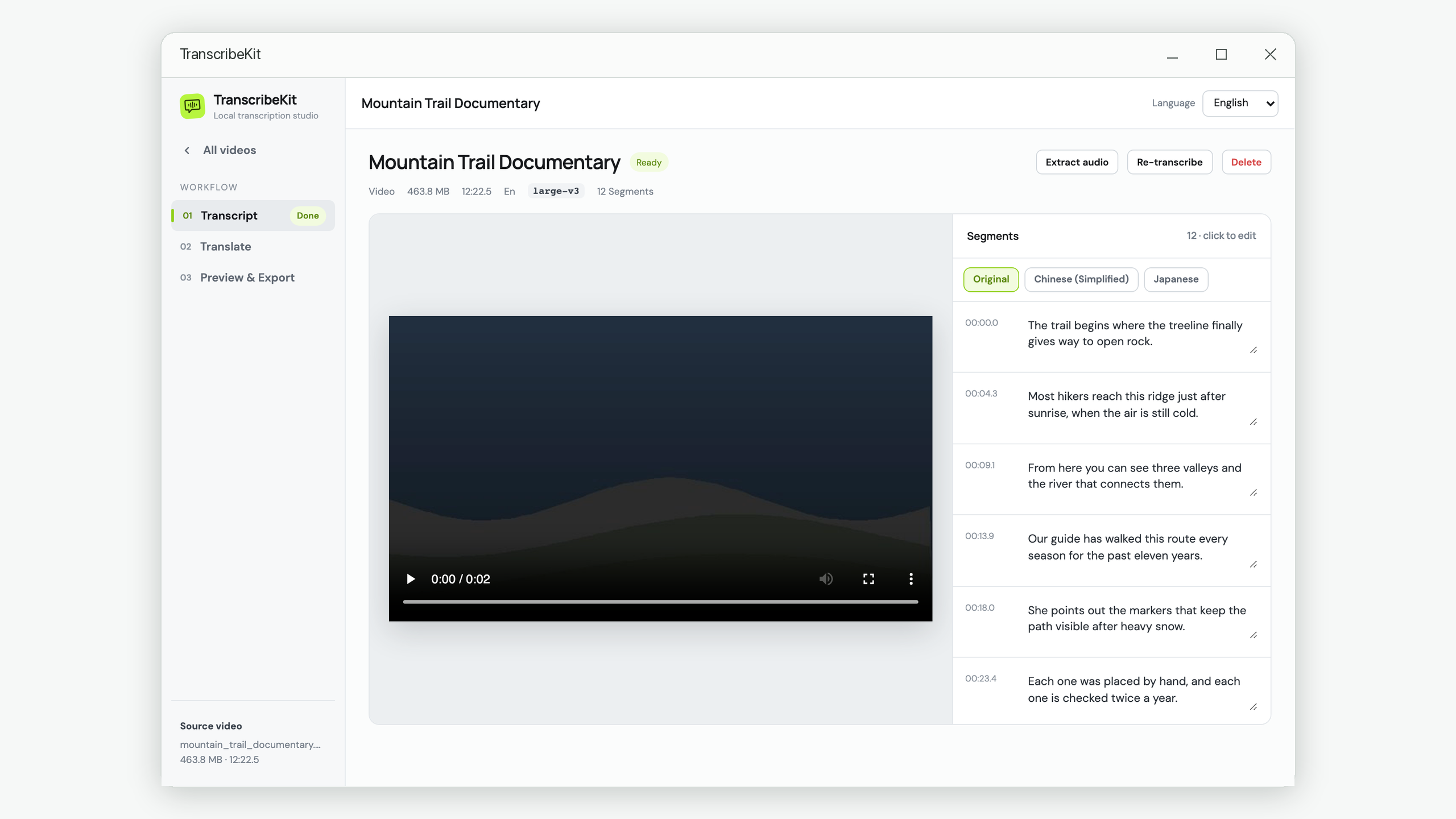
What changed is not the accuracy so much as the packaging. Running a model used to require a Python environment, a command line, and a tolerance for dependency errors. That is the part that kept people on websites. A desktop application removes it: you install once, download a model once, and after that the whole thing works with the network switched off.
The part people forget: translation
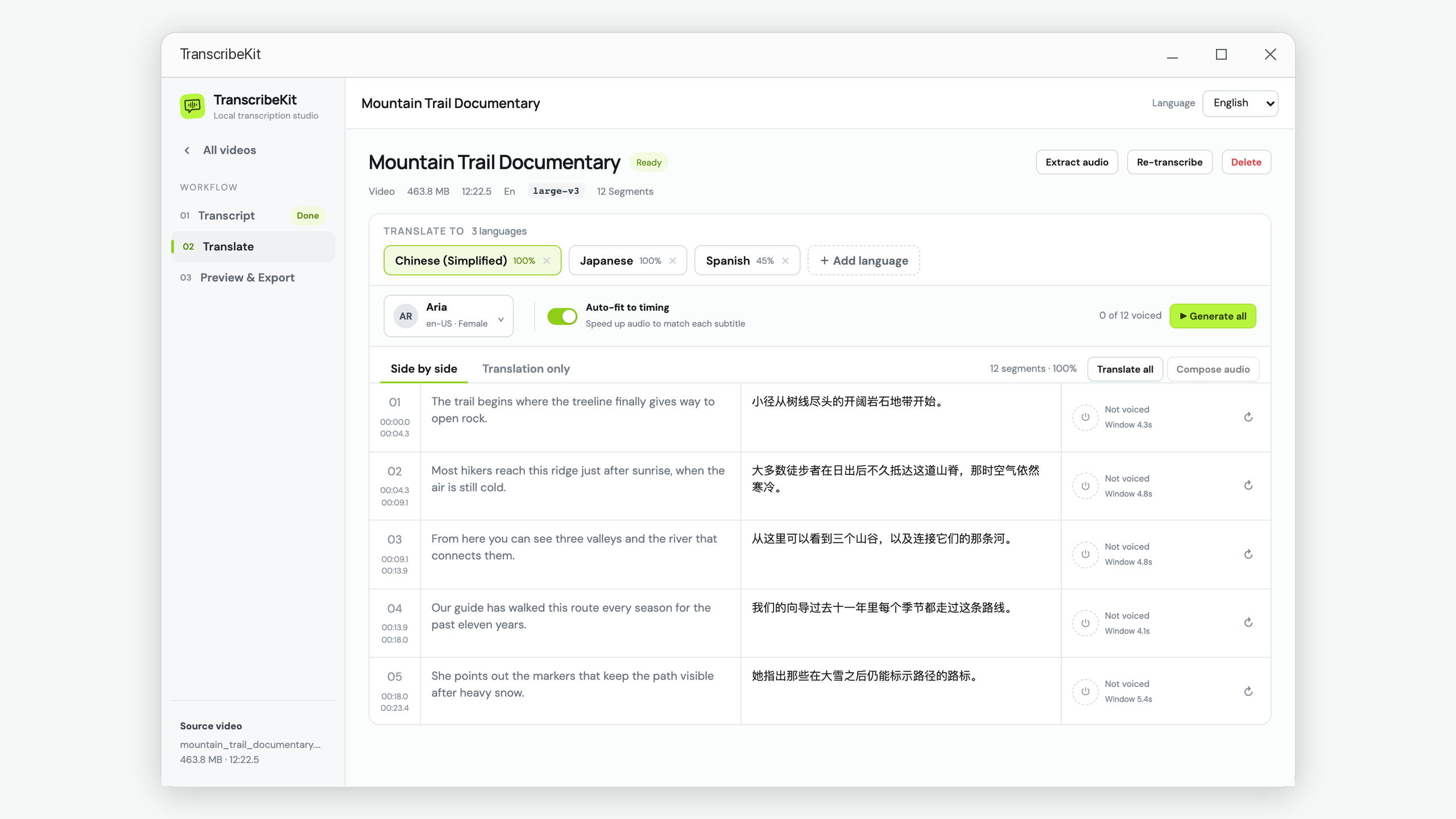
Teams often solve the transcription half and then undo it. They transcribe locally, feel good about it, and then paste the resulting subtitles into a cloud translation API to produce a second language.
The transcript is the recording. Every confidential sentence in the audio is in that text, now in a form that is far easier to read, search and index than the original. Sending the transcript to a third party is not a smaller disclosure than sending the audio — in most cases it is a larger one.
This is why offline translation matters as much as offline transcription. TranscribeKit runs a translation model on your machine alongside the speech model, so the second language never requires an API key or a network call either.
What you give up
An honest comparison has to include the trade-offs, because there are real ones.
| Cloud service | On-device | |
|---|---|---|
| Setup | None — open a browser | Install the app, download a model once (75 MB – 2.9 GB) |
| Speed | Fast, runs on server GPUs | Depends on your CPU; a long file can take a while |
| Cost per hour | Per-minute pricing or a subscription | None after install |
| Works offline | No | Yes, completely |
| Who holds a copy | You and the provider | You |
The speed difference is the honest cost. A server with a dedicated GPU will transcribe a one-hour recording faster than a laptop CPU will. If you are processing hundreds of hours of already-public material on a deadline, that matters and a cloud service is a reasonable choice.
If you are processing a handful of sensitive recordings, it does not. Waiting a few extra minutes for something to finish in the background is a small price for removing the entire question of who else has the file.
A reasonable default
You do not have to pick one tool for everything. A workable rule:
- Material you are about to publish anyway — either approach is fine, optimise for speed.
- Anything involving a person who has not consented to third-party processing, an NDA, an ethics approval, or unreleased work — keep it on your own machine, including the translation step.
The second category is larger than most people assume when they first think about it.
Transcribe without uploading anything
TranscribeKit runs speech recognition and translation entirely on your Windows PC. No account, no API key, no upload.
Get it from the Microsoft Store